Once an order is shipped the job isn’t done. Sellers still have to keep an eye on deliveries, returns, cancelled orders things still waiting to ship and shipping costs. The trouble is that all this information is often buried in long spreadsheets and reports, which makes it quite hard to spot what’s actually important for you.
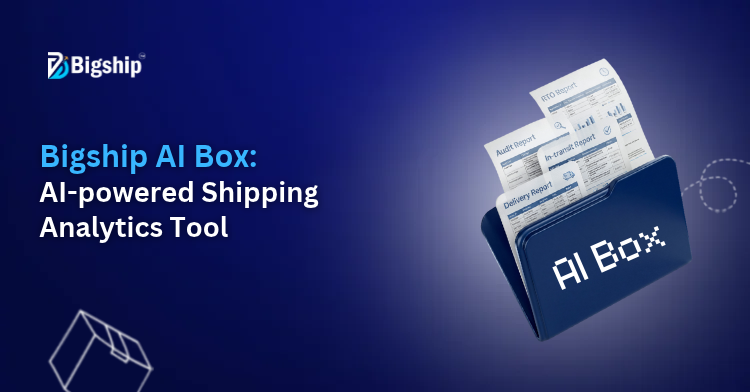
That’s where Bigship AI Box comes in. It takes your shipment data. Turns it into simple reports, graphs and insights. All you need to do is type a simple prompts. No more sorting through data. You get answers, about how your shipping is doing. In this blog we’ll go over how AI Box works and how it can make shipment analysis easier.

What Is Bigship AI Box?
As a seller or a business owner you might have looked at the your shipment data or reports and wondered how, where, and when to use it or simply what to do with that. To answer those questions, Bigship has launched AI Box.
It is nothing but an AI-powered tool that lets you ask questions about your shipping data just like you would ask another person. You just need to type what you want to know in English or even in Hindi and rest work is done by AI box. It will pull the numbers, put them into charts and reports, and show you what’s happening in simplest possible manner.
Why Do Businesses Need AI-Powered Shipment Analytics?
When a seller has their order volume increasing, then keeping a track of those shipments gets a lot harder than it sounds. They definitely have a lot of data of those shipments but the real problem is finding the right information when they actually need it.
Many reports to go through – The information is there, but it’s often sitting in different reports thus, tracking down one detail can feel like more work than it should be.
Checking things one by one takes time – Looking at freight costs, RTOs, delivery numbers, or pending orders manually can turn into a lengthy task.
Problems are not always obvious – Delays, rising RTOs, or a growing backlog of pending shipments can easily go unnoticed until they become bigger issues.
Important details get missed – When there’s a lot of shipment data piled up, small trends and warning signs are easy to overlook.
Decisions become harder – If the data isn’t clear, sellers often end up relying on assumptions instead of knowing exactly what’s happening.
Key Features of Bigship AI Box
Bigship’s AI Box was developed with a purpose which is to make things easier for sellers. The core features that you can explore in it are mentioned below:
Ask Questions The Way You Normally Would – No need to learn anything new and you just have to type your question in English or Hindi or Hinglish – the AI Box is trained in a manner that it understands all.
Reports That Make More Sense – You ask the question in form of the prompt and AI Box puts the data together. You get charts, graphs and a short breakdown of what you’re looking at that makes the data easy to understand rather then confusing rows of numbers.
Keep A Watch On How Your Shipments Are Moving – Delivered orders, RTOs, in-transit shipments, pending orders, you can check all of it in one place. Makes it easier to understand what’s happening without jumping from one report to another.
Look At A Specific Time Period – Sometimes you only care about a particular month or shipment status. You can filter the data and look at only that instead of everything at once.
Download The Report If You Need It – It you want to share the report with someone or keep a copy, you just need to download it as a PDF and save it.
How Does Bigship AI Box Work?
Bigship AI Box is built for those moments when you need shipment data but do not want to spend half the day digging through reports. Of opening multiple sheets and checking numbers manually you can simply ask for the information you need and let the system pull it together for you. Bigship AI Box will pull the data for you.
Step 1: Access AI Box
First, log in to your Bigship Seller Panel and select AI Box from the sidebar. Click on ‘Create New Report’ to get started.
Step 2: Enter Your Prompt
Enter what you want to analyse in the prompt box. You can type your prompt in English or Hindi, or choose from the suggested prompts.
Step 3: Select Report Filters
Next, select your report type, date range, and shipment status based on the insights you want to generate.
Step 4: Generate Your Report
Once you’ve entered your prompt and selected the required filters, click on ‘Analyse with AI’. AI Box will analyse your existing shipment data and generate a structured report.
Step 5: Review Your Insights
Explore the executive summary, key metrics, and graphs to understand your shipping performance better.
Step 6: Save or Download Your Report
To keep your report for future reference, click on ‘Save Report’, enter a report name, and add a description if required. You can also download your report as a PDF.
Step 7: Manage Saved Reports
To access your saved reports, open the Saved Reports section. Here, you can search, filter, download, rename or delete reports as needed.
What Can Businesses Analyse Using Bigship AI Box?
Bigship AI Box helps sellers get a picture of their shipping data. Here are a things they can check:
Order Status and Shipment Breakdown: Get a quick view of orders across different shipment statuses.
Delivery Performance Analysis: Check delivery performance. Identify delays.
RTO Analysis: Track RTO shipments and understand return trends.
Cancelled Order Analysis: Review cancelled orders and spot patterns.
Pending Shipment Analysis: Find shipments that are still pending and need attention.
Payment Mode Analysis: Compare orders across payment modes, such, as prepaid and COD.
Who Can Benefit from Bigship AI Box?
Honestly AI Box can help anyone who ships orders regularly and does not want to spend hours digging through shipping data to find answers.
E-commerce sellers often have dozens or even hundreds of orders moving at the time. Of checking reports one by one AI Box can quickly find details about deliveries, RTOs, shipping costs and order statuses from one place.
D2C brands can use AI Box to understand what is happening with their shipments on a day-to-day basis. Whether deliveries are improving delays are increasing or certain regions are creating issues the data becomes much easier to understand.
Small and growing businesses usually do not have dedicated data teams or analysts. AI Box helps them get insights, from their shipping data without needing someone to prepare reports manually.
Business owners can get a snapshot of their shipping performance whenever they need AI Box. Than looking through spreadsheets they can focus on the numbers that actually matter when making decisions.
Operations teams of various businesses can use AI Box during their workflow to keep track of pending shipments, delivery exceptions, cancellations, RTOs and other shipping-related issues that need attention.
How Can AI Box Help Businesses Make Better Shipping Decisions?
Most businesses already have a lot of shipping data. The real challenge is finding useful information in it without spending hours going through reports.
That’s where AI Box can help.
- Get answers quicker by asking questions about your shipments.
- Reduce the time spent on reports and stop going through big spreadsheets.
- Monitor numbers, like deliveries, RTOs shipments that are not yet delivered and shipping costs.
- Find problems early. Make choices using real shipment data, not just guesses.
How to Get Started with Bigship AI Box?
Starting is easy if you are already using Bigship. Sign in to your Bigship Seller Panel. Go to the AI Box section. From that place you can make a report type your question in English or Hindi and select the filters that are necessary for your report.
You can begin to look into your shipment data using the information that’s already, in your Bigship account.
Conclusion
Shipping data can reveal much about your business. Only if you understand shipping data. Manually scanning reports just to spot a few figures wastes time. That is why Bigship AI Box is useful. Bigship AI Box offers a way to examine shipments compare shipping data and know what is happening with your orders. Tell Bigship AI Box what you want to know and let it build the report while you keep running your business.
FAQs
Bigship AI Box is an AI-powered shipping analytics tool that helps you to understand your shipping data without digging through reports yourself. With Bigship AI Box you can ask a question. The tool will pull together the information, for you in a report full of numbers, charts and clear insights that are easy to follow.
Through Bigship’s AI Box, you can look at anything – delivered orders, pending shipments, RTOs cancelled orders, payment methods, delivery performance, shipping charges and more.
It is very simple. Write your question, in English or Hindi use any filters you need and AI Box will look through your shipment data and make a report according to what you asked.
Yes you can. When an AI Box report is ready you can download it as a PDF. You can keep the PDF for later. Share it with your team whenever you want.
Yes. Your reports are saved inside the AI Box so you can. View your reports anytime instead of having to generate the same report again.